2️Connect MetaMask to Conflux eSpace
Now that you've installed MetaMask, let's connect it to Conflux eSpace:
Open MetaMask.
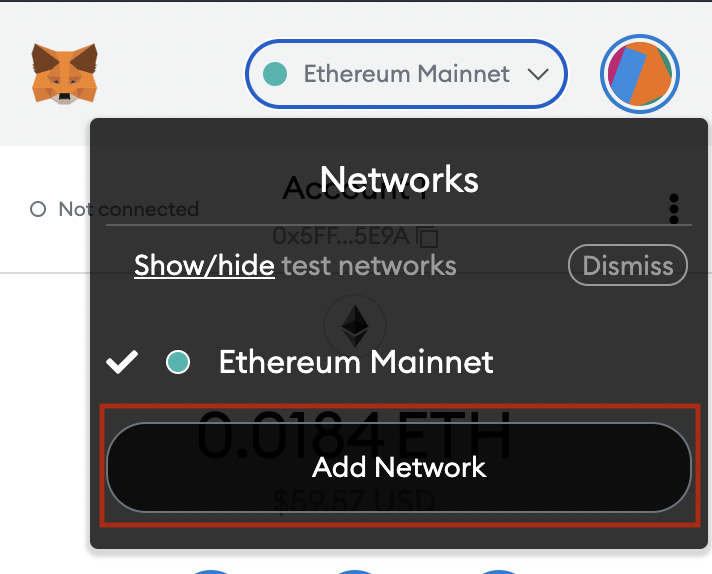
Go to the Networks drop-down menu and click Add Network.
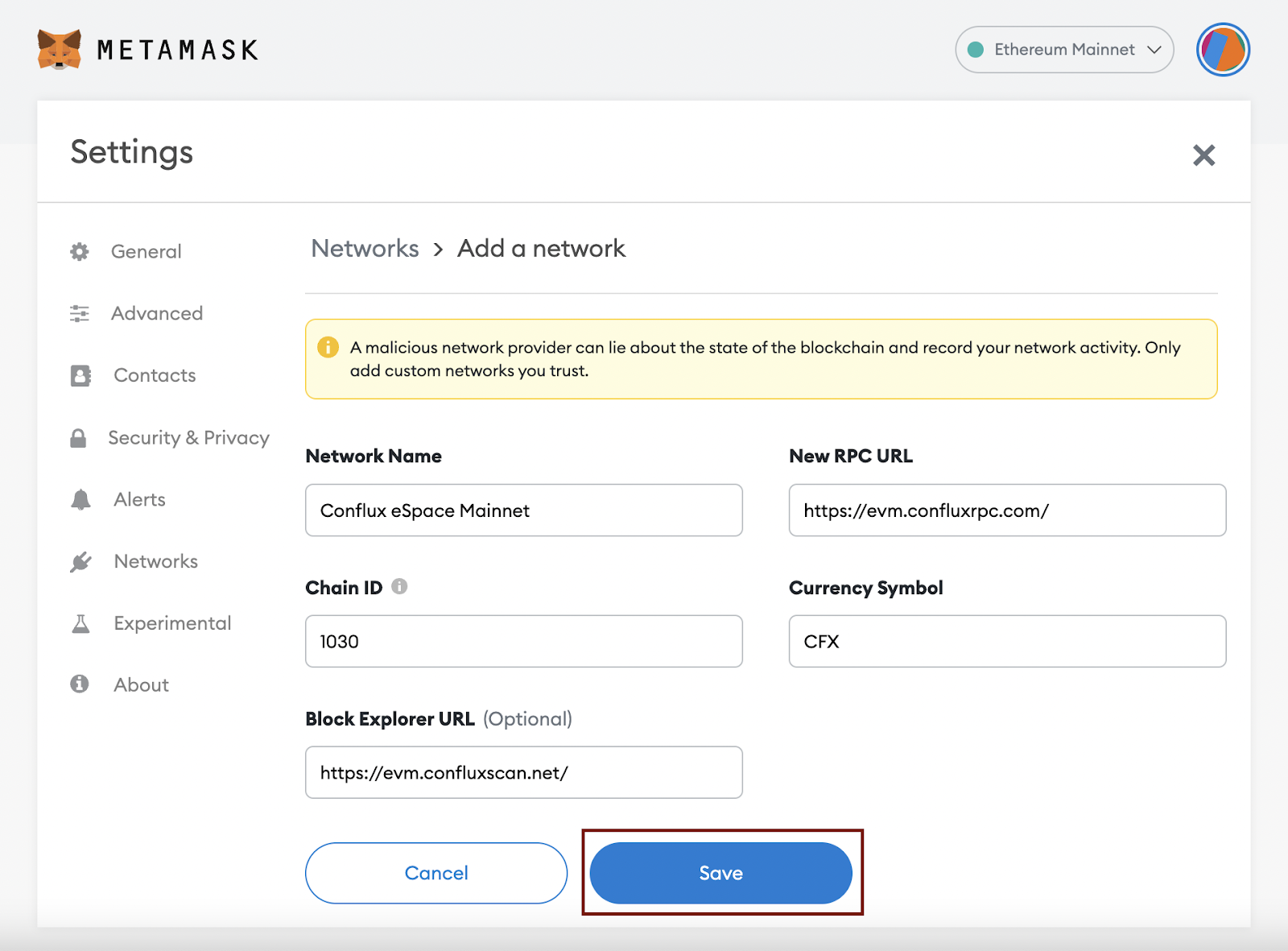
3. In Add a network, enter the following settings:
Network Name: Conflux eSpace Mainnet (or Conflux eSpace Testnet)
New RPC URL: https://evm.confluxrpc.com/ (or https://evmtestnet.confluxrpc.com for testnet)
Chain ID: 1030 (or 71 for testnet)
Currency Symbol: CFX
Block Explorer: https://evm.confluxscan.net/ (or https://evmtestnet.confluxscan.net for testnet)
4. Verify that the data you've entered is correct and click Save.
Last updated