# Supply GOL/CFX LP

{% hint style="info" %}
Note: GOL token address: 0x55b1b3000db0394c1440d3679fe8efb4fdbdb79e
{% endhint %}

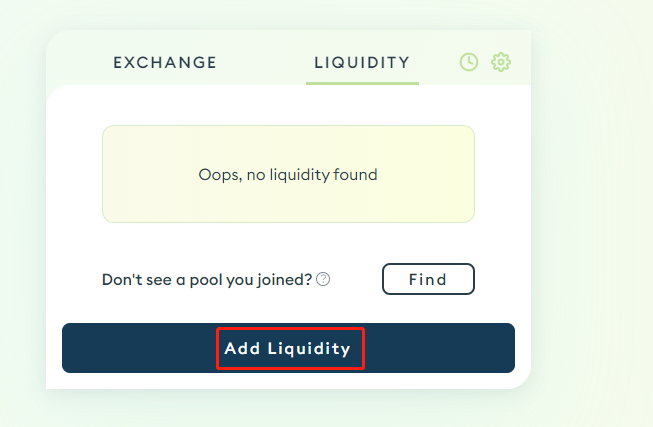
**Step 1**: Add liquidity on [Swappi](https://integration.swappi.io/#/pool/v2) by clicking on Add Liquidity:

<figure><img src="https://3395749719-files.gitbook.io/~/files/v0/b/gitbook-x-prod.appspot.com/o/spaces%2Fc2BhTiokSb20AtCJsiOI%2Fuploads%2F7q7spPQMMMg6XH6cXPr2%2F1_EqyOM2PPAhcETr5yOpiH3A.png?alt=media&#x26;token=5047fe36-18aa-4617-b48d-be1fd7d46a7d" alt=""><figcaption></figcaption></figure>

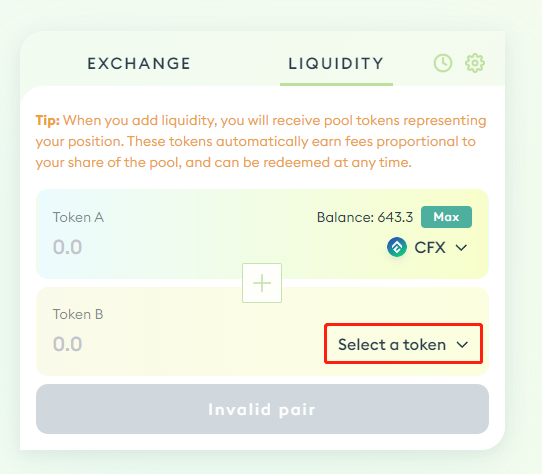
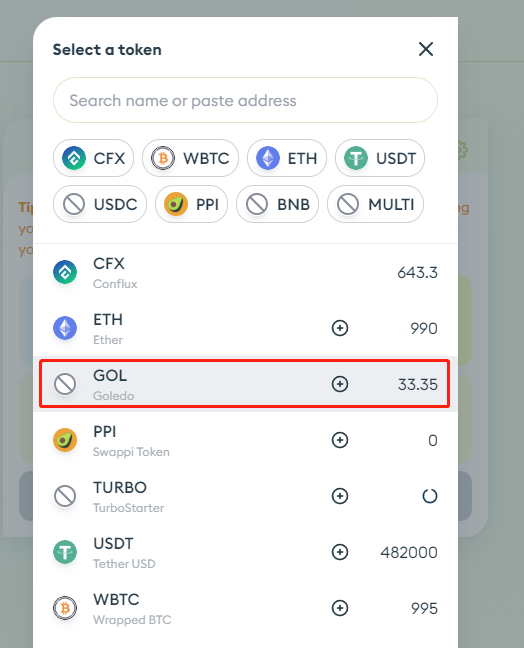
**Step 2**: From the drop-down menu, select GOL token. Or, enter the $GOL smart contract address on top (0x55b1b3000db0394c1440d3679fe8efb4fdbdb79e).

<div><figure><img src="https://3395749719-files.gitbook.io/~/files/v0/b/gitbook-x-prod.appspot.com/o/spaces%2Fc2BhTiokSb20AtCJsiOI%2Fuploads%2F7dXgURiLhpbgV5SkrtdL%2F1_E18ncrS5Z_TdSREBCkF76w.png?alt=media&#x26;token=73c80519-23fa-43e2-b72a-8978a968f13a" alt=""><figcaption></figcaption></figure> <figure><img src="https://3395749719-files.gitbook.io/~/files/v0/b/gitbook-x-prod.appspot.com/o/spaces%2Fc2BhTiokSb20AtCJsiOI%2Fuploads%2FOwwjivmCo6tgAscp3bEZ%2F1_5mB89uxLYLpTECB9iOo42A.png?alt=media&#x26;token=b6963604-5d9b-42f7-bbee-df0434f81c9d" alt=""><figcaption></figcaption></figure></div>

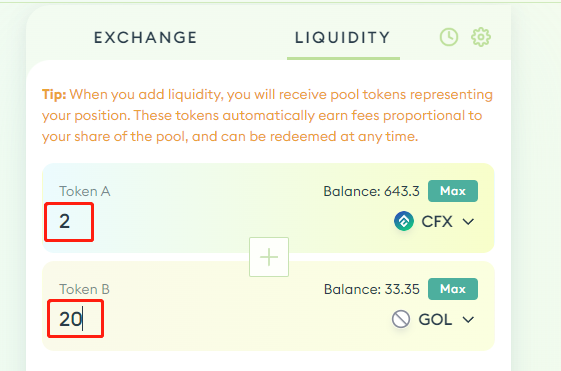
**Step 3**: Input the amount of LP you want to supply.&#x20;

In this example, we chose to supply 20 GOL tokens, and Swappi automatically determines the amount of CFX that has to be supplied.

<figure><img src="https://3395749719-files.gitbook.io/~/files/v0/b/gitbook-x-prod.appspot.com/o/spaces%2Fc2BhTiokSb20AtCJsiOI%2Fuploads%2Fa82CkcFk0O2FqhQTwPLV%2F1_GuB1UcLRRq5QtFZUi_HWBw.png?alt=media&#x26;token=3e9899bd-afeb-4935-ae3c-54522c5204cd" alt=""><figcaption></figcaption></figure>

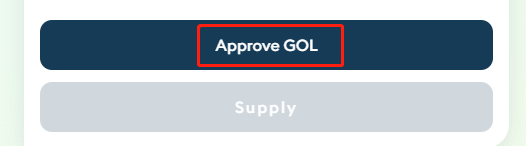
**Step 4:** Click **Approve GOL** to confirm:

<figure><img src="https://3395749719-files.gitbook.io/~/files/v0/b/gitbook-x-prod.appspot.com/o/spaces%2Fc2BhTiokSb20AtCJsiOI%2Fuploads%2FIGxVeMpwSZSQTtMczm6Z%2F1_RLVmdEpyQd1BdXqnF3AvTg.png?alt=media&#x26;token=029d8871-36c3-47ab-8357-7b37e3196cb6" alt=""><figcaption></figcaption></figure>

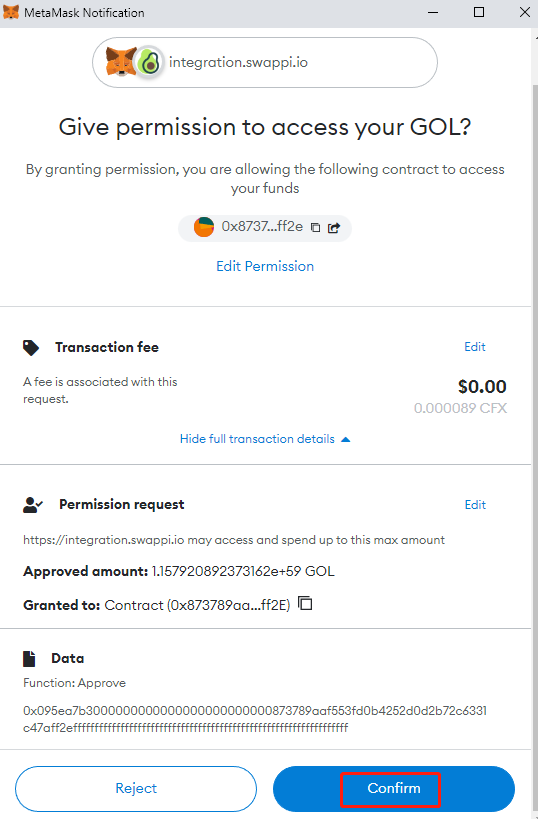
**Step 5:** Click **Confirm**.

<figure><img src="https://3395749719-files.gitbook.io/~/files/v0/b/gitbook-x-prod.appspot.com/o/spaces%2Fc2BhTiokSb20AtCJsiOI%2Fuploads%2FvxhvbH0LYKmoiuSlQv0P%2F1_afLqix9PRrxuu56y-6u4wQ.png?alt=media&#x26;token=e86c1473-6b06-43dd-a8b3-e524c92f01e7" alt=""><figcaption></figcaption></figure>

**Step 6:** Click **Supply**:

<figure><img src="https://3395749719-files.gitbook.io/~/files/v0/b/gitbook-x-prod.appspot.com/o/spaces%2Fc2BhTiokSb20AtCJsiOI%2Fuploads%2FTiZawfazBrpEa1XlJq57%2F1_YCQCVKs_tZmLwQGbkA1hTA.png?alt=media&#x26;token=029f71fb-dc9e-4e94-9e73-a094d96dad3e" alt=""><figcaption></figcaption></figure>

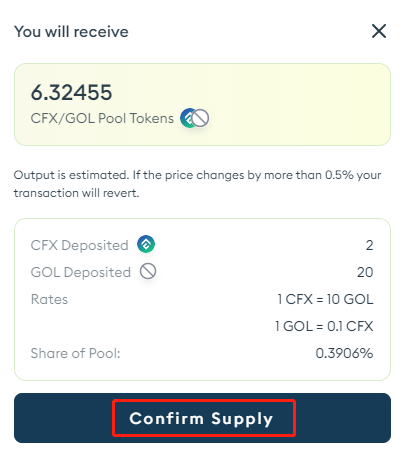
**Step 7:** Click **Confirm Supply:**

<figure><img src="https://3395749719-files.gitbook.io/~/files/v0/b/gitbook-x-prod.appspot.com/o/spaces%2Fc2BhTiokSb20AtCJsiOI%2Fuploads%2FMls3IP6xMNI5lNmhgwMY%2F1_S3D4ZiGtUL2maPVnoz05Pw.png?alt=media&#x26;token=4f5a0c32-b451-4312-abee-2cd24ea167f4" alt=""><figcaption></figcaption></figure>

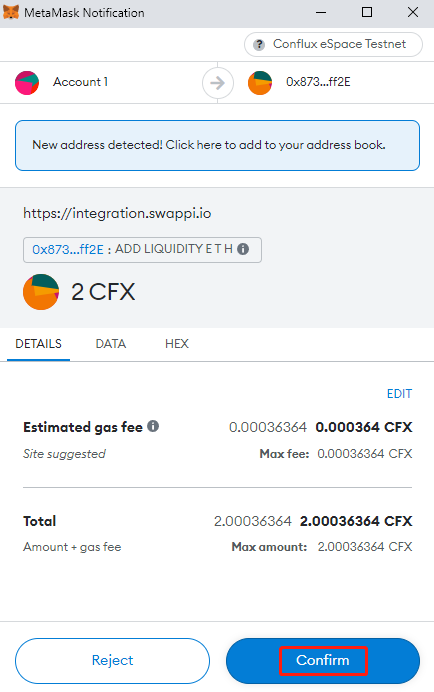
**Step 8**: Confirm on MetaMask:

<figure><img src="https://3395749719-files.gitbook.io/~/files/v0/b/gitbook-x-prod.appspot.com/o/spaces%2Fc2BhTiokSb20AtCJsiOI%2Fuploads%2FCFTAYdSK3kBjrIFRDuDM%2F1_37ra37vvnfFlF3eqvmgo_g.png?alt=media&#x26;token=8726713f-8dd4-449e-9b93-11380efdfcd9" alt=""><figcaption></figcaption></figure>

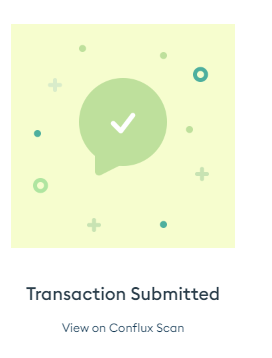
*You have now successfully supplied GOL/CFX LP.*

<figure><img src="https://3395749719-files.gitbook.io/~/files/v0/b/gitbook-x-prod.appspot.com/o/spaces%2Fc2BhTiokSb20AtCJsiOI%2Fuploads%2FHQ2yZUpYO5qX5CM9E2dK%2F1_NianNZkDFC21dFfqRJ8Udg.png?alt=media&#x26;token=336193e9-aa68-4c99-8730-2ca0c948d9e5" alt=""><figcaption></figcaption></figure>

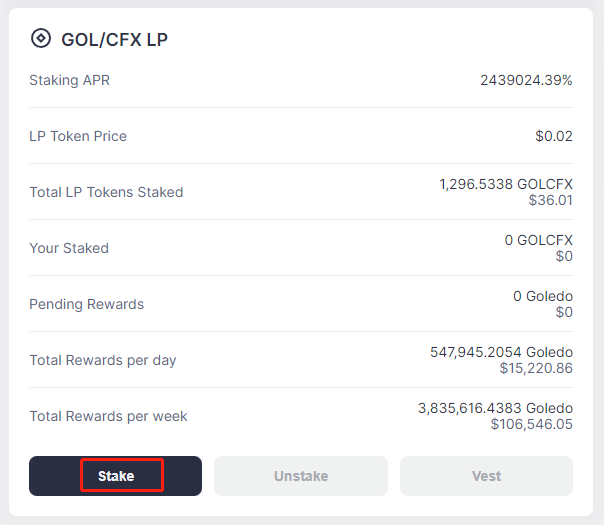
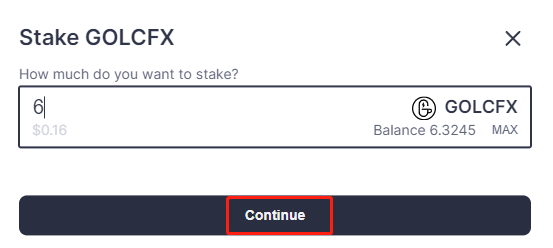
You may now **return to Goledo** and **stake GOL/CFX LP:** &#x20;

<figure><img src="https://3395749719-files.gitbook.io/~/files/v0/b/gitbook-x-prod.appspot.com/o/spaces%2Fc2BhTiokSb20AtCJsiOI%2Fuploads%2FripCK9nGFmjoGNlBpcXP%2F1_lDRrp2ltl4ovUbuVQcZm6w.png?alt=media&#x26;token=5e344b92-3c88-40b7-ae31-1e3c57af9f48" alt=""><figcaption></figcaption></figure>

<figure><img src="https://3395749719-files.gitbook.io/~/files/v0/b/gitbook-x-prod.appspot.com/o/spaces%2Fc2BhTiokSb20AtCJsiOI%2Fuploads%2FCWo8Y2UAtRCtpHzosIdq%2F1_htb4Q6zl7f7AAbN7gEDyzg.png?alt=media&#x26;token=29039c95-3e9b-497f-b98b-d32b032362cd" alt=""><figcaption></figcaption></figure>

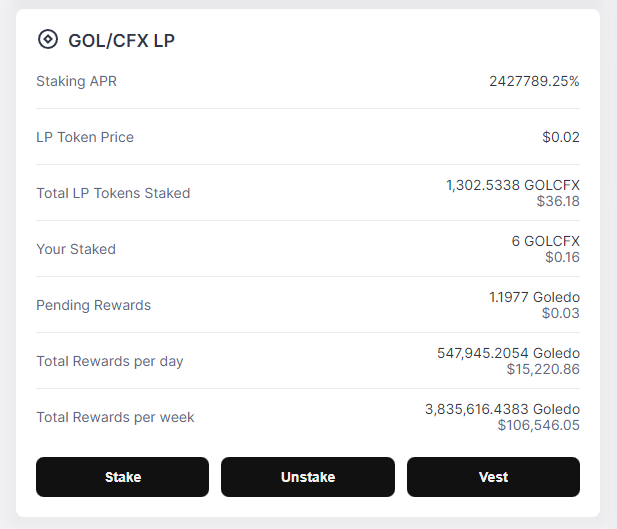
This can now be viewed on your dashboard:

<figure><img src="https://3395749719-files.gitbook.io/~/files/v0/b/gitbook-x-prod.appspot.com/o/spaces%2Fc2BhTiokSb20AtCJsiOI%2Fuploads%2Fi51LRvAt7yY1aMVDKStr%2F1_s7-uk5_TQrPwAa9bc-_3gw.png?alt=media&#x26;token=9aa361df-a546-4e1d-8705-0942afa92aab" alt=""><figcaption></figcaption></figure>