# Transferring eSpace CFX from Gate.io to MetaMask

## Prerequisites

{% hint style="info" %}
This tutorial is focused on MetaMask, but you can use any other supported wallet, such as Wallet Connect-based wallets and Ledger devices. \
\
See [*Choose a Wallet*](https://goledo-1.gitbook.io/goledo-docs/getting-started/choose-a-wallet) for more information.
{% endhint %}

* A [Gate.io](https://www.gate.io/) account.
* At least **15 CFX** traded on Gate.io. You can trade using the CFX/ETH and the CFX/USDT markets. To learn how to do Spot trading on Gate.io, see: [How to Conduct Spot Trading](https://www.gate.io/help/trade/trade/16443/How-to-Trade).
* A MetaMask wallet connected to Conflux eSpace. To learn how to connect your MetaMask wallet to Conflux eSpace, see: [Connect MetaMask to Conflux eSpace](https://goledo-1.gitbook.io/goledo-docs/getting-started/connect-metamask-to-conflux-espace).

## Transferring eSpace CFX from KuCoin to MetaMask

1. Log-in to your [Gate.io](http://gate.io) account.
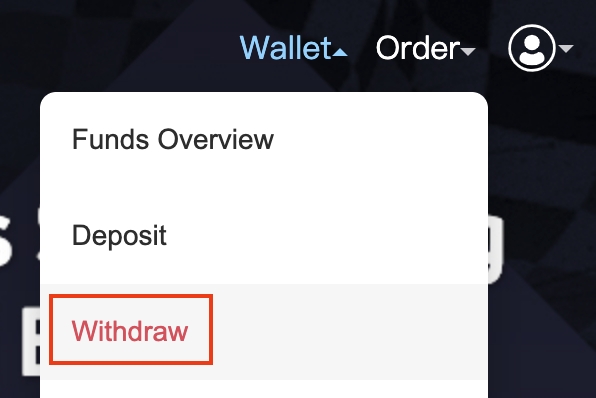
2. In [Gate.io](http://gate.io), go to **Wallet** > **Withdraw**.

![](https://lh5.googleusercontent.com/oCdz27PadcwlWG4bJR3y9SFmyiB9uzecu_KadLy4s1OcQDH6N7LfIMM3oLM3QTW1yNN_iZmCv6fhxQjineI5Dw9DUBu4iBMuddevmtgGgjApv0ao5kMBh9I4JCbAvVs2WYjKnfe8qmRvWsyH9CtBhw)

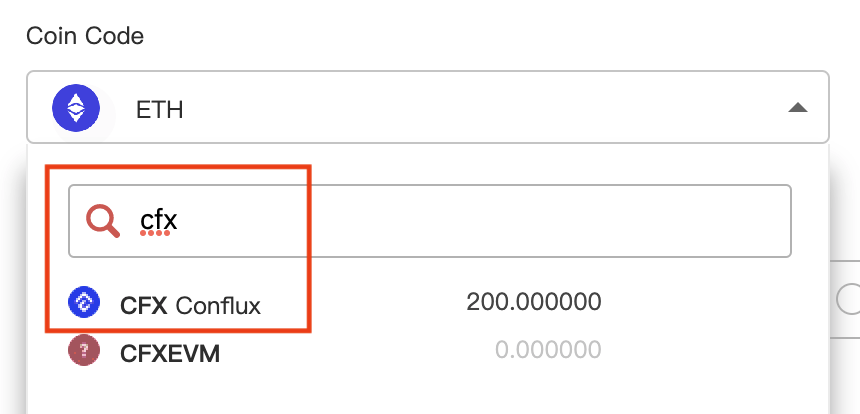
3\.  In Withdraw, expand the Coin Code select and search for CFX. Then click the result.

![](https://lh5.googleusercontent.com/LjUsqvp1oFHk-ufiNz8oiSfZJDokGgmN3Vl_ihQL6_Cn1pdwYE0CaZQZ8hpJk2q7xq98AolJr2_KTUXd7lcttC7Wn68MFHDwwMfjAFDIc1CwW1VGEiaWoTYxah59T6pwnZItQFrggN7hR88YgVnOdA)

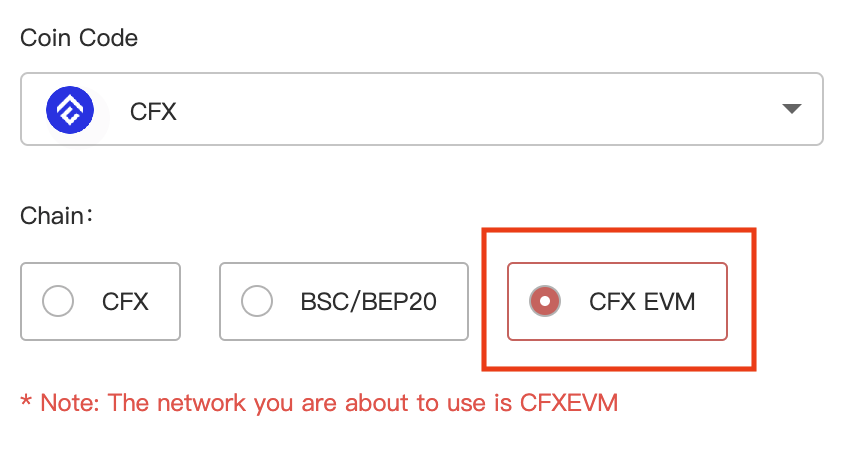
4\.  In Chain, select **CFX EVM**.

![](https://lh3.googleusercontent.com/XSFc49rS00hH0BL4d4bJApXBm69BGqL0j2e9z6Rlyl-2yqHmOt-YG3lh3o9YvDEqYGRBYoHwyM-cQ-0pzkUgzLLuNhe7AyYIKVKgTAQWMUcy3-y8itUMbrI1hyQolCJVfbEQLKpC0aDbmAa4uE_0vg)

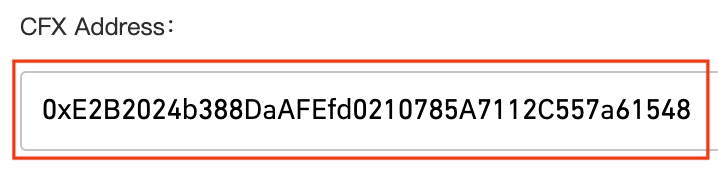
5\.  In CFX Address, enter your eSpace account address.

![](https://lh3.googleusercontent.com/OO80iybWiXYSjyBgEFAY9MKnVEuG4nV-ekdkz50b6eqi2LYiOuCWr2c-Li5laOSB06r_41Zdmi1Amxukvqdx6IbImfW39m4bA3kyIhTvYHvuu5KWMaazTsDWRNQjyYMXXiogY3oZUZjOBJj7MhyZSA)

6\.  *Optional*: In address description, add a description for this address, such as "My Conflux eSpace MetaMask account".

7\.  In Amount, enter the amount (in CFX) that you wish to transfer.

![](https://lh6.googleusercontent.com/I9rHBoitg0iy8WeXqRFboZXnVIG6Nbp_6bawcPnDu-QROjAR-RCqPRHl8cJy7JwcGT1riVPuKmDgjjXG8a7gqwIDBKfkIaU1Xp5ltksxTDbZQWSCQBOllwuUU8ujxjD-sNDZCGgRzmDuNZyyqF8OVQ)

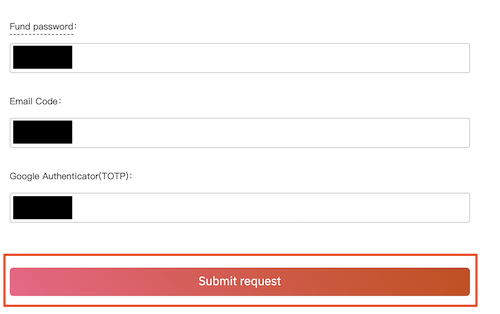
8\.  Enter your fund password, email code, and Google Authenticator/TOTP code, then click **Submit request**.

![](https://lh6.googleusercontent.com/9q2b167IjD1-NEwfMFKzeHCuuuZlSJGck3aZ9gSQI6XAioCAim3rxJeEwT0FpXxCldnbnof59W0UZbHHkQYNmo7KctT2ZxvJuO_iI7vUaO4rF4bXuxC5xE20YwTvB266PmVG_XIUI3eX0twO_h4Xdw)

Your funds have now been sent to your MetaMask account! The operation will take a couple of minutes.